
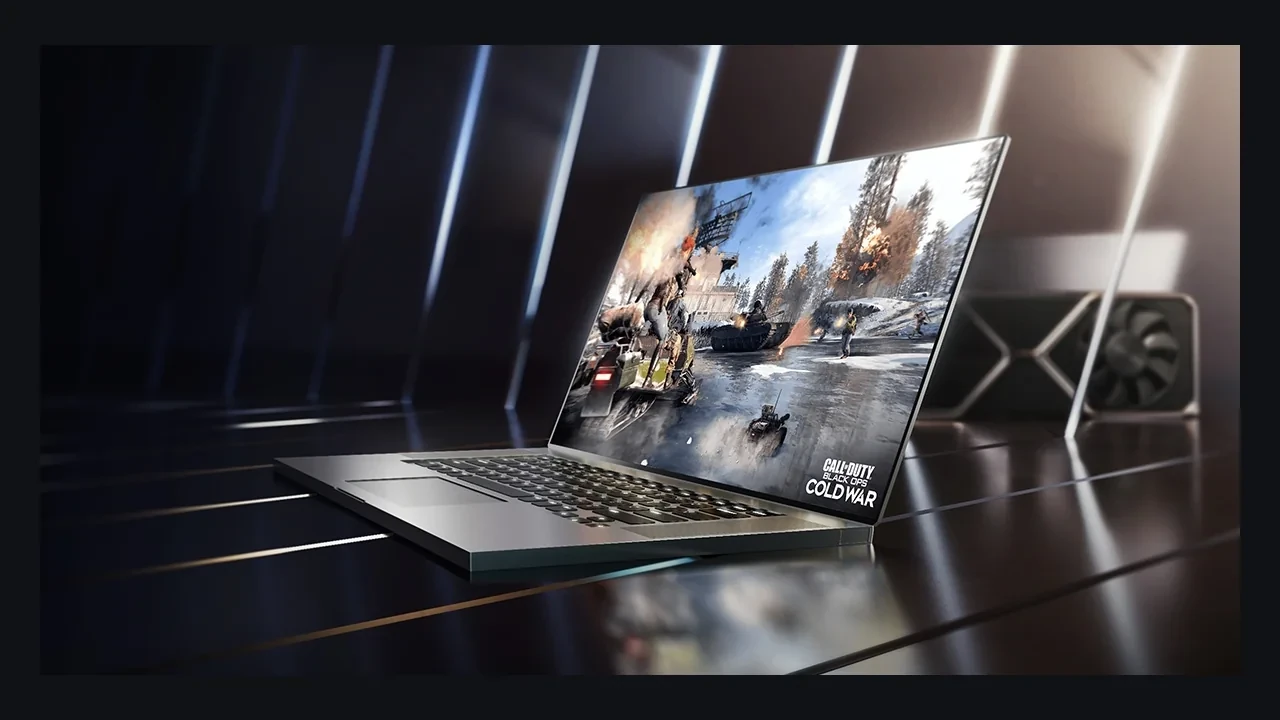
GeForce RTX 3050 Ti Laptop GPU DLSS 5 compatibility
No official DLSS 5 launch support has been announced for the GeForce RTX 3050 Ti Laptop GPU, and future support remains unknown. The latest officially supported branch on this mobile Ampere part is DLSS 4.5 Super Resolution and Ray Reconstruction. Frame Generation and Multi Frame Generation are not available.
That answer applies to a shipping build today. If NVIDIA changes the matrix later, the engine should discover the change through a runtime capability query rather than a hard-coded product list.
The mobile hardware behind the support decision
The RTX 3050 Ti Laptop GPU appears in thin-and-light gaming systems, mobile workstations, student machines, indie studios, university labs, and laptops used by engineers on the road. It is an Ampere part with dedicated RT cores and third-generation Tensor cores.
The “Laptop GPU” suffix matters. Chassis cooling, configured TGP, and voltage-frequency behavior can produce very different sustained frame rates from the same model name. The GPU still exposes the standard Vulkan, DirectX 12, and DirectX 11 feature sets expected from the RTX 30 family.
Frame Generation uses an extra hardware path that this part does not expose through NVIDIA’s published driver notes. DLSS 5 will use the same driver and SDK plumbing for optical flow analysis, motion vectors, and present-time upscaling, but only NVIDIA’s release notes can define a new minimum hardware floor.
The official position for DLSS 5
NVIDIA has not placed the GeForce RTX 3050 Ti Laptop GPU on a DLSS 5 compatibility list. That is not proof that support can never arrive, but it prevents a studio from claiming the feature now.
DLSS 4.5 Super Resolution and Ray Reconstruction remain available through the current driver and SDK. Super Resolution reconstructs a higher output from a lower internal render. Ray Reconstruction replaces hand-written spatio-temporal denoisers in ray-traced effects.
The RTX 30 series Wikipedia entry supplies the family-level hardware context. The NVIDIA Research DLSS 5 page carries the launch and compatibility position. Use those together with the SDK query on the target machine.
DLSS support is set per feature
A GPU can support one part of the stack without supporting another:
- DLSS Super Resolution: a learned upscaler that takes a sub-resolution input and reconstructs a higher output. It runs on Tensor cores and has the widest RTX support.
- DLSS Frame Generation: a synthetic frame inserted between two rendered frames using motion vectors and optical flow. It requires the hardware path introduced for the DLSS 3 generation, which not every RTX 30 product exposes.
- DLSS Ray Reconstruction: a learned denoiser for ray-traced effects that replaces hand-written kernels with a model trained on ground-truth references.
- DLSS Multi Frame Generation: the DLSS 4 extension that creates more than one extra frame per rendered pair on supported hardware.
- DLSS 5: a generation name used in NVIDIA’s 2026 communication for a new feature bundle. Its exact components and hardware requirements belong in NVIDIA’s own documentation.
The 3050 Ti Laptop GPU can run Super Resolution and Ray Reconstruction. It cannot run Frame Generation or Multi Frame Generation without the missing hardware path. The absence of a DLSS 5 entry is therefore the support signal that matters today.
The current compatibility boundary
| DLSS feature | Minimum hardware generation | Available on GeForce RTX 3050 Ti Laptop GPU | Notes for developers |
|---|---|---|---|
| DLSS Super Resolution (DLSS 2 era onward) | RTX 20 series and newer | Yes | Use the current DLSS SDK; quality, balanced, performance, and ultra performance presets are all available. |
| DLSS Ray Reconstruction | RTX 20 series and newer (Tensor cores) | Yes | Replaces hand-written denoisers; the engine plugin handles the feature flag in the integration. |
| DLSS Frame Generation (DLSS 3) | RTX 40 series primarily; selective RTX 30 series parts | No | The 3050 Ti Laptop GPU is not on NVIDIA’s published support list for this path. |
| DLSS Multi Frame Generation (DLSS 4) | RTX 50 series primarily | No | Requires the newer optical flow hardware; the 3050 Ti Laptop GPU does not expose this path. |
| DLSS 5 feature bundle | Not officially published at the time of writing | No official support has been announced | Future support remains unknown until NVIDIA publishes a compatibility matrix. |
The SDK and driver enforce the minimum hardware column. A future NVIDIA matrix would populate the availability column. Until then, the DLSS 5 answer remains unannounced support rather than an inferred yes.
Build the graphics menu from runtime results
A title targeting this GPU can expose Super Resolution and evaluate Ray Reconstruction for hybrid or path-traced effects. It should not expose Frame Generation, Multi Frame Generation, or a DLSS 5 control unless the runtime query returns true for that feature.
NGX and the DLSS SDK provide capability information for the current adapter. Using that result prevents two errors: promising a feature the machine cannot run and hiding a newly supported feature because the engine shipped with an old static list.
- Confirm that the installed driver supports the DLSS SDK version used by the engine, and record the driver string in the QA matrix.
- Query Super Resolution, Ray Reconstruction, Frame Generation, and any later feature flag separately, recording the boolean result for each.
- Build the graphics menu from those results so a future supported feature can appear without a hard-coded GPU update.
- Run a representative scene on a real RTX 3050 Ti Laptop GPU at every supported preset. Capture internal resolution, output resolution, frame time, and a known-reference quality check.
- Disable any path that depends on Frame Generation or Multi Frame Generation on this GPU, and record the decision in platform support notes.
This approach can absorb a new DLSS generation without forcing an engine patch just to update a model-name list.
Verify the exact laptop, not just the badge
Support and performance need separate checks. The GPU and driver determine whether a feature is available. The chassis and TGP determine how fast the same feature runs.
Start with the driver: record the NVIDIA control-panel version, branch, and DLSS entry, then compare them with the engine’s SDK. Next, run a fixed Super Resolution scene at a known internal resolution and confirm that the output matches the panel’s native resolution. Finally, record GPU name, TGP, current clock, and memory clock against the sold configuration. Three vendors have shipped the same GPU name at three different TGP targets, and the difference appears in frame time.
If driver and SDK agree and the scene produces a clean upscaled frame, Super Resolution and Ray Reconstruction are healthy. If no DLSS 5 entry is exposed, do not show the option. If the driver names the feature but the SDK query returns false, treat the GPU as unsupported and log the driver version.
Support can change without changing the GPU
The RTX 20 series received Super Resolution after launch through SDK and driver updates. RTX 30 cards later received Ray Reconstruction. Frame Generation reached specific RTX 30 parts where the hardware allowed it, while Multi Frame Generation used a different floor. In practice, the SDK moves first, the driver follows, the support list catches up, and games adopt the published contract.
A 2026 project should therefore use a capability query rather than a fixed list. If support changes, the engine can expose it once the SDK reports true and QA adds the new case. Player-facing wording should remain direct: DLSS 5 has not been announced for this GPU, DLSS 4.5 is the latest supported branch, and a future update may change that.
The RTX 30 family is a stable target for DLSS 2 and 4.5-era features. It is not currently a published DLSS 5 target.
Failure modes to catch before release
A legacy path can still call Frame Generation after the capability query returns false, causing a hard GPU hang. Fix the gate rather than reinstalling the driver. A second failure appears when the driver prints “supported” but an older SDK returns a null handle. Rebuild against the matching SDK and record the mismatch.
Editor and cooked builds can also disagree when they run on different drivers. Pin the certification driver to the one expected in the field. Finally, remove placeholder DLSS 5 controls that silently fall back to the highest available path. A menu toggle that changes nothing creates confusion and support work.
How the 3050 Ti compares with nearby RTX 30 laptops
This is a feature comparison rather than a performance benchmark. Every listed mobile part uses third-generation Tensor cores, and none has published Frame Generation, Multi Frame Generation, or DLSS 5 support in this matrix.
| RTX 30 series mobile part | Tensor core generation | Frame generation support | Multi frame generation support | DLSS 5 at the time of writing |
|---|---|---|---|---|
| RTX 3050 Laptop GPU | 3rd generation | No published support | No published support | Not officially announced |
| RTX 3050 Ti Laptop GPU | 3rd generation | No published support | No published support | Not officially announced |
| RTX 3060 Laptop GPU | 3rd generation | No published support | No published support | Not officially announced |
| RTX 3070 Laptop GPU | 3rd generation | No published support | No published support | Not officially announced |
| RTX 3080 Laptop GPU | 3rd generation | No published support | No published support | Not officially announced |
The uniform rows reflect a shared mobile generation and a common published boundary. NVIDIA could change one SKU without changing the others, which is another reason to trust runtime results over family assumptions.
Integration patterns that handle later releases
At startup, fill a small capability structure with one boolean per DLSS feature. Let both the graphics menu and renderer read it before dispatching any call. The implementation should take only a few hundred lines of C++ at most and should let a supported feature appear without a product-list patch.
Maintain a per-feature QA matrix with GPU, driver, SDK, chassis, TGP, and preset. Keep the supported branch in the platform document so publishing can use the same wording on the store page.
For a live service, extend that matrix into a continuous harness. Run one fixed scene on each supported GPU and driver branch, then flag any result that drifts more than the project’s fixed percentage from baseline. A studio shipping only a few builds each year can use the same process manually.
Frequently asked questions
Does the GeForce RTX 3050 Ti Laptop GPU support DLSS 5?
No official launch support has been announced, and future support remains unknown. DLSS 4.5 Super Resolution and Ray Reconstruction are the latest supported paths.
Which DLSS features work today?
Super Resolution and Ray Reconstruction work through the current SDK. NVIDIA has not published Frame Generation or Multi Frame Generation support for this part.
How can I check a specific chassis?
Record the driver and DLSS version, run a known Super Resolution scene, confirm native output resolution, and query each feature through the SDK. Build the options menu from those booleans.
Could a future driver add DLSS 5?
NVIDIA has not decided publicly. Watch driver notes, SDK documentation, and the compatibility matrix.
Is DLSS 5 the same as Frame Generation?
No. DLSS 5 is a generation label for a feature bundle. Frame Generation is one specific path with its own hardware requirement.
Will Super Resolution still receive updates?
Yes. NVIDIA has updated it across DLSS 2, 3, and 4, with RTX 30 hardware remaining in the supported set. Updates arrive through the SDK and driver.
Does chassis design change feature support?
No. GPU and driver set the feature boundary. Chassis and TGP change sustained clocks and frame time.
Should a game use a runtime check or static list?
Use the runtime query. Static lists create false positives after support changes and require maintenance for every release.
How do DLSS 4.5 and DLSS 5 differ here?
DLSS 4.5 is the supported Super Resolution and Ray Reconstruction branch. DLSS 5 is a newer 2026 generation label without a published entry for this GPU.
What is the next source of truth?
Use NVIDIA’s research page and future SDK or driver notes for public status. Inside a studio, the startup capability query on a pinned driver and representative chassis decides what the build exposes.
Leave a Reply